Start with one client question, not a posting target
Write down the questions your team answered this week. A salon in White Rock, South Surrey or Vancouver might need to explain where to park, which stylist offers a service, or how a new client requests a consultation. Use your actual location and process when they help the reader.
Choose a pace you can maintain with accurate information and approved photos. The schedule below is a starting point, not a claim that a particular posting frequency guarantees bookings.
12 salon Instagram post ideas you can adapt
1. Show a real colour result
Use a clear photo of a finished colour with the client’s permission. Explain the requested look and one detail about the approach, using facts supplied by the stylist. If you show before-and-after images, keep the lighting and angle comparable and avoid filters that change the colour.
2. Introduce the stylist behind the work
Share a portrait, the stylist’s actual specialties and what they enjoy discussing during a consultation. Give visitors a way to find that stylist’s work or booking information. A friendly introduction can answer the practical question: who should I book with?
3. Explain two commonly confused services
Create a short carousel about topics clients ask you to compare, such as highlights and balayage. Let the stylist check the explanation and avoid presenting one technique as right for everyone. Finish by inviting people to discuss their hair history and goals.
4. Answer one consultation question
Turn a frequent question into a useful post: what inspiration photos should someone bring, or what information should they share before a colour change? Explain your own consultation process rather than borrowing another salon’s policies.
5. Share a stylist-approved care tip
Choose one small topic, such as the salon’s recommended approach to maintaining a particular finished look. Have the stylist check the wording. Keep advice specific to the service and avoid promising that one product will suit every hair type.
6. Show the salon experience
Photograph a styling station, a welcoming entrance or a quiet detail from the space. Explain what a first-time visitor can expect. Check that other clients, private appointment screens and personal belongings are not visible without permission.
7. Walk through the booking process
Show where your booking link goes and how someone chooses a service or requests a consultation. Use a demonstration without real client data. If a colour service needs a consultation first, explain that step before inviting someone to book.
8. Share genuine appointment availability
A Story can highlight an actual opening with the stylist, service type and booking route. Confirm the slot before posting and update the Story when it is taken. Do not invent limited spaces or imply a discount that is not available.
9. Feature a client’s own words
With permission, share a genuine review and pair it with an appropriate salon image. Preserve its meaning and make the source clear. Avoid turning an individual experience into a promise of the same result for every client.
10. Show how a finished style moves
Capture a short, steady clip of the finished hair with permission. Let the colour and texture remain natural. A simple movement clip can complement a still photograph without adding heavy effects or changing the result.
11. Let followers choose the next topic
Use a Story poll to ask what people want explained next: colour maintenance or appointment preparation, for example. Use the answers to choose a helpful post. A vote is a content preference, not an appointment enquiry or permission to send sales messages.
12. Connect a post to your website gallery
Choose one piece of real work, then give viewers a relevant page to explore. A colour post can point to your gallery; a stylist introduction can point to a team profile. Keep the destination close to the question that made someone interested.
“A softer, dimensional finish for this colour appointment. Thinking about a change? Bring your inspiration photos and ask about a consultation. Explore our work through the link in our profile.”
Adapt the description to the real result and your salon’s booking process before using it.
A simple four-week salon content plan
If you are starting with four feed posts per month, give each post a distinct job. Use Stories for relevant updates between posts when your team has something useful to share.
| Week | Feed post | Next step |
|---|---|---|
| 1 | A real cut or colour result | Explore the gallery |
| 2 | Meet a stylist | Learn about their services |
| 3 | Answer a common question | Save the tip or ask a question |
| 4 | Explain how booking works | Book or request a consultation |
Batch the preparation: gather approved photos, ask each stylist for a few factual notes and review the captions together. Save the client permissions alongside your content records.
Give interested visitors a useful website destination
A strong photo can introduce your work, but a potential client may still need service information, your location, a stylist profile or a booking link. Keep those details easy to find on a phone.
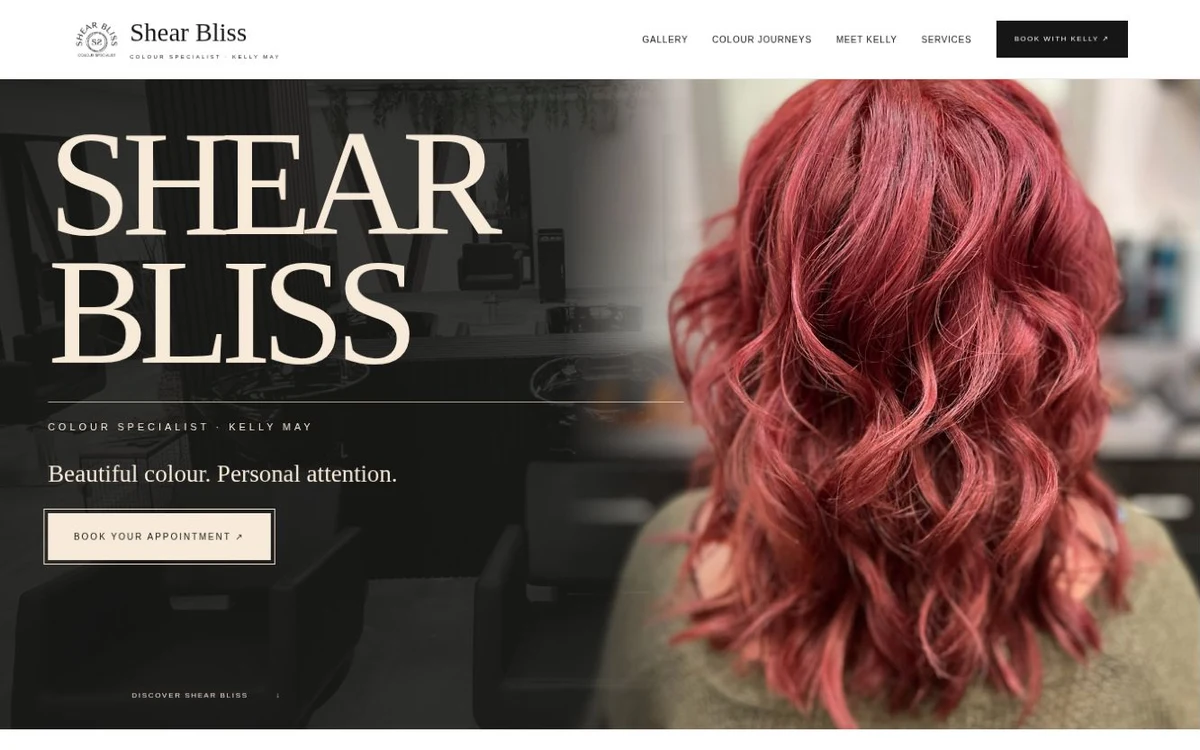
Explore the Shear Bliss Colourist website to see how colour-work imagery and booking information can sit together. Our client portfolio shows the project in context.
Before promoting a page, work through our website enquiry checklist. Your post, destination and booking instructions should describe the same next step.
Review useful enquiries, not only likes
Keep a simple record of what you posted and the questions or enquiries that followed. Ask new contacts how they found you. A save, poll response, website visit and appointment request are different signals; avoid counting them all as leads.
If visitors repeatedly ask where you are, clarify your location. If they ask which service to choose, explain the consultation route. Improve the part of the journey that creates confusion before adding more content.
For help making your business information easier to find, read our local SEO checklist for small businesses.
Common salon content questions
What should a salon post when there are no new client photos?
Introduce a stylist, explain an appointment type, show the space or answer a booking question. Keep any illustrative examples clearly labelled and do not present generated hair imagery as a client result.
Does every post need a booking invitation?
No. A service explanation can invite a question; a care tip can invite a save; a gallery post can invite someone to explore more work. Choose a next step that fits the post.
Can someone help prepare the content while the salon keeps control?
Yes. Agree on the services, approved photos, tone and review process first. AI Power Studio offers social media content support for small businesses. We supply graphics and captions for you to publish or schedule on your own accounts.
Already posting regularly? Use our five-minute Instagram booking check to make the next step easier for new clients.